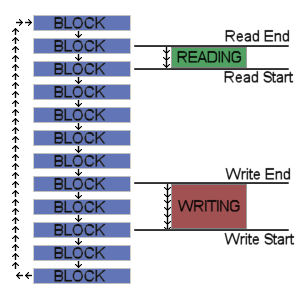
MMC (Morphing Match Chain) is a new search algorithm i've been toying with by end of 2010. It's been presented in November, and is apparently a novel technique, with interesting properties. It seems the fastest search algorithm around, at least for Greedy Match LZ compression.
LZ4HC uses it as its core, and this is the primary reason for its performance.
Now, MMC was discussed in detail with experts in a compression forum, but it was lacking a homepage to present it comprehensively. This is now fixed.
You'll find in this blog a homepage for MMC, describing the algorithm from a high level perspective, with some test results. The algorithm has been implemented in an open-source code (GPL v2), which can be downloaded on Google Code.
Saturday, February 12, 2011
Saturday, January 29, 2011
ARM Programming (part 2)
Now that context is presented, we can go on tough things : what's special with programming an ARM processor ?
ARM processors are used in low-powered devices, such as hand-held terminals. Battery-life is a key property to protect. Consequently, some sacrifices were accepted by ARM in order to save a lot of transistors, translating into less power usage.
As a general requirement, program for low-powered devices must also keep in mind the battery-life requirement, and designed in a power-conscious manner. Hence, trade-off will almost always favor memory savings and speed over raw precision.
It's possible to use high-level languages for ARM, such as LUA, or Java. Obviously, these languages will try to mask ARM shortcoming, providing a universal interface to programmer. But that's also why it's so difficult to optimize them.
So we'll settle on C programming language, which is much closer to metal.
Aligned data
The most critical restriction to consider when designing an ARM-compatible program is the strong requirement on aligned data. What does that mean ?
The smallest memory element that can be manipulated is a byte, like most other processors of these last 30 years (Saturn being a very rare exception). Reading and writing a byte can be done anywhere in memory.
However, things change when dealing with Short types (16 bits, 2 bytes).
Such data must be read or written on even addresses only (0x60h is okay, 0x61h is not).
Same restriction apply when dealing with Long types (32 bits, 4 bytes). These data must be written or read from a memory address which is a multiple of 4 (0x60h is okay, 0x61h 0x62h 0x63h are not).
Now, when dealing with a data stream, this is no longer a compiler job : you have to make sure that any read or write operation respects this restriction.
Guess what ? A file is such a giant data stream.
As a consequence, making your file format ARM friendly may require to change it. PC-ARM format compatibility is not guaranteed without this.
Forget about float
Programming with float is indeed supported by ARM compiler. But this is just a trick : hardware does not really support it, so a little program will take care of the calculation adaptation for you.
This has an obvious drawback : performance will suffer greatly.
Therefore, favor your own "fixed point" calculation instead, using a 32bit long as a container for your format. 16/16 is quite easy to come up with, but you may need another distribution, such as 22/10 for example. Don't hesitate to select the most suitable format for your program.
To give an example, i made a simple DCT implementation several months ago, using float (or double), as a "reference" starting point. It resulted in a speed of one frame per second.
I then simply replaced the "float" type with a fixed point implementation. This new version would only need 20ms to achieve the same job. Now, 50x is a huge enough performance delta to be seriously considered.
Cache is your (little) friend
Ensuring that data you need is fetched from cache rather than main memory is key to the performance of your application, and therefore to its impact on battery life.
Compared with PC, cache is a scarce resource for ARM. While modern x86 CPU tend to have multi-megabytes Level 2 caches on top of Level 1 caches, you end up with just a Level 1 cache with ARM, and generally a small one (size vary depending on implementations ; look at the technical doc of your model, 8KB or 16KB being very common).
Making sure your frequently accessed data stay in this cache will provide terrific performance boost.
As a consequence, a real difficulty is that your set of data has to remain small to match the cache size. This can change dramatically your algorithm trade-off compared with a PC version.
A lot of other performance optimizations advises are also valid, such as "read I/O in 32bits instead of 8bits at a time", but these ones are pretty much the most important ARM specific ones.
I have to thank int13 for providing me the opportunity to have a quick peek into this field.
ARM processors are used in low-powered devices, such as hand-held terminals. Battery-life is a key property to protect. Consequently, some sacrifices were accepted by ARM in order to save a lot of transistors, translating into less power usage.
As a general requirement, program for low-powered devices must also keep in mind the battery-life requirement, and designed in a power-conscious manner. Hence, trade-off will almost always favor memory savings and speed over raw precision.
It's possible to use high-level languages for ARM, such as LUA, or Java. Obviously, these languages will try to mask ARM shortcoming, providing a universal interface to programmer. But that's also why it's so difficult to optimize them.
So we'll settle on C programming language, which is much closer to metal.
Aligned data
The most critical restriction to consider when designing an ARM-compatible program is the strong requirement on aligned data. What does that mean ?
The smallest memory element that can be manipulated is a byte, like most other processors of these last 30 years (Saturn being a very rare exception). Reading and writing a byte can be done anywhere in memory.
However, things change when dealing with Short types (16 bits, 2 bytes).
Such data must be read or written on even addresses only (0x60h is okay, 0x61h is not).
Same restriction apply when dealing with Long types (32 bits, 4 bytes). These data must be written or read from a memory address which is a multiple of 4 (0x60h is okay, 0x61h 0x62h 0x63h are not).
Failing this condition will almost certainly result in a crash, since most OS don't want to handle these exceptions for performance consideration.
As long as you are dealing with Structured data, there is no issue : the compiler will take care of this for you.Now, when dealing with a data stream, this is no longer a compiler job : you have to make sure that any read or write operation respects this restriction.
Guess what ? A file is such a giant data stream.
As a consequence, making your file format ARM friendly may require to change it. PC-ARM format compatibility is not guaranteed without this.
Forget about float
Programming with float is indeed supported by ARM compiler. But this is just a trick : hardware does not really support it, so a little program will take care of the calculation adaptation for you.
This has an obvious drawback : performance will suffer greatly.
Therefore, favor your own "fixed point" calculation instead, using a 32bit long as a container for your format. 16/16 is quite easy to come up with, but you may need another distribution, such as 22/10 for example. Don't hesitate to select the most suitable format for your program.
To give an example, i made a simple DCT implementation several months ago, using float (or double), as a "reference" starting point. It resulted in a speed of one frame per second.
I then simply replaced the "float" type with a fixed point implementation. This new version would only need 20ms to achieve the same job. Now, 50x is a huge enough performance delta to be seriously considered.
Cache is your (little) friend
Ensuring that data you need is fetched from cache rather than main memory is key to the performance of your application, and therefore to its impact on battery life.
Compared with PC, cache is a scarce resource for ARM. While modern x86 CPU tend to have multi-megabytes Level 2 caches on top of Level 1 caches, you end up with just a Level 1 cache with ARM, and generally a small one (size vary depending on implementations ; look at the technical doc of your model, 8KB or 16KB being very common).
Making sure your frequently accessed data stay in this cache will provide terrific performance boost.
As a consequence, a real difficulty is that your set of data has to remain small to match the cache size. This can change dramatically your algorithm trade-off compared with a PC version.
A lot of other performance optimizations advises are also valid, such as "read I/O in 32bits instead of 8bits at a time", but these ones are pretty much the most important ARM specific ones.
I have to thank int13 for providing me the opportunity to have a quick peek into this field.
Monday, January 24, 2011
LZ4 : World's fastest compressor
As an unexpected surprise, i learned this morning that a compression benchmark site, Stephan Bush's SqueezeChart, declared LZ4 as the world's fastest compressor.
The final result : 6.4GB of data compressed in 39 seconds.
This is total time, and it tells a lot about the underlying I/O system, since it means reading at 165 MB/s and simultaneously writing the compressed result at 115 MB/s, which means either a RAID array, or a fast SSD (Solid-State Disk).
To be fair, LZ4 is known to be fast, but i was not expecting such a result. Some other more established compressor were supposed to get the graal, most especially QuickLZ, if not LZO. But apparently it ended on LZ4.
Is there any interest in LZ4 being more than just a tool for studying compression ? I'm wondering now.
Anyway, this is a nice little opportunity to brag around :)
You can grab LZ4 at its homepage.
[Edit] : SqueezeChart results have been independantly confirmed by Compression Ratings public benchmark.
The final result : 6.4GB of data compressed in 39 seconds.
This is total time, and it tells a lot about the underlying I/O system, since it means reading at 165 MB/s and simultaneously writing the compressed result at 115 MB/s, which means either a RAID array, or a fast SSD (Solid-State Disk).
To be fair, LZ4 is known to be fast, but i was not expecting such a result. Some other more established compressor were supposed to get the graal, most especially QuickLZ, if not LZO. But apparently it ended on LZ4.
Is there any interest in LZ4 being more than just a tool for studying compression ? I'm wondering now.
Anyway, this is a nice little opportunity to brag around :)
You can grab LZ4 at its homepage.
[Edit] : SqueezeChart results have been independantly confirmed by Compression Ratings public benchmark.
Friday, January 21, 2011
ARM Programming (part 1)
There is a sense of moving tide in the world of CPU business. The nimble ARM (Advanced Risc Machine) looks in position to threaten almighty Intel future.
This is a classical david versus goliath situation, with all our sympathy usually reserved to the little outsider. But in this case, i do believe the little one indeed deserves sympathy.
While Intel business was growing thanks to PC business, it benefited from its near-monopoly position to become a dominant player in the field of micro-electronics at large. Its processors were fast enough to quickly displace RISC ones from anything the size of a laptop or more. It then entered the server market were it made small wood of specialists such as Alpha or Sun. Its domination seemed irresistible, and even large strategic failures such as Rambus one did nothing to really alter this situation.
During all this time, there is one area which remained free of Intel x86 domination, it is the world of small hand-held terminals and equivalents, such as smartphones. In this world, power consumption is key, and the huge requirement of x86 processors (60W!) were not meant to fit the bill.
ARM strived, proposing better value for the money, and more importantly inventing a new business model. Since ARM was (and still is) a small company, it does not manufacture nor does sell processors.
Being fabless is nothing new. In the CPU business, Cyrix showed great promises during its era. Nvidia and ATI are two gigantic fabless companies. The model is so compelling that even AMD converted itself to the fabless model recently.
However, not even selling processors was a bold move. ARM only sell licenses, for other to build processors based on its technology. As an analogy, they sell the plans for a house, not the house itself. Consequently, the cost of the plans is much lower than the house. So low in fact, that any entrepreneur can buy them and make a little fortune by selling houses. Hence an attractive model.
The decision, however, was not only about cost. It was also meant to support customizations. In the world of embedded equipment, such customizations are commonplace, and it was necessary to find a model to accommodate them.
ARM found a very important customer when Nokia decided to switch its CPU line to this architecture. With volumes reaching incredible levels, and many industrial customers of all sizes eager to produce their own ARM processors, it quickly became the de facto standard for handheld devices, overshadowing all other competitors.
Today, ARM processors are sold in much larger volume than x86 does, and the difference only grows. ARM as a company, though, is still a (relatively) small one, and the strength of this architecture does come from its ecosystem, not from the design company alone.
What changed recently is that both world collided, with the advent of new Tablet terminals, such as to Apple iPad. Now, for the first time, ARM-based terminals are investing an area traditionally reserved to PC siblings, such as small laptops or netbooks. And this is not just a small attempt by strange technological company, massive involvement from Apple ensures that this new market is here to stay, with many new players entering the fray this coming year.
Now, we'll witness a fight to settle where the frontier between the PC (x86) world and the Smartphone (ARM) will be.
Just the border? Or is it more complex ? Indeed it is.
Intel has been preparing its counter-offensive, and is now ready to propose ultra-low power x86 CPU able to be embedded into SmartPhones, such as the next iteration of Atom. On the other side, ARM has announced a new processor design for the Server market. Now that's sure, this is all out war, not just a border dispute.
It is my own guess that Intel attempt to enter the Smartphone market will fail, while ARM entry into the server market will ultimately be successful. There are several reasons for this belief :
- ARM processors consume much less power than Intel ones; for server CPU, look at something in the range of 10x difference. Intel will have to fight back with lower-consumption model (and they will).
- In a large server room, the main priority is power supply. The more CPU consumes watts, the more heat becomes a problem, with large cost and space penalty associated. A large consumption difference will have a tremendous effect on these installations.
- The server world is not really about Windows, but rather more about Linux. Linux derivatives and associated Open Source programs already work well with ARM (they can be compiled anytime to any target since the source code is available). The transition is therefore not as tragic as it look like.
Anyway, even Windows has announced that they will provide a Windows version for ARM soon.
So here it is, ARM processors are investing more and more area, and are likely to become a dominant platform within this decade. Therefore, being able to program for them will become an expected skill from any programmer.
In the next post, we'll see which differences have to be considered for your code to be ARM friendly.
This is a classical david versus goliath situation, with all our sympathy usually reserved to the little outsider. But in this case, i do believe the little one indeed deserves sympathy.
While Intel business was growing thanks to PC business, it benefited from its near-monopoly position to become a dominant player in the field of micro-electronics at large. Its processors were fast enough to quickly displace RISC ones from anything the size of a laptop or more. It then entered the server market were it made small wood of specialists such as Alpha or Sun. Its domination seemed irresistible, and even large strategic failures such as Rambus one did nothing to really alter this situation.
During all this time, there is one area which remained free of Intel x86 domination, it is the world of small hand-held terminals and equivalents, such as smartphones. In this world, power consumption is key, and the huge requirement of x86 processors (60W!) were not meant to fit the bill.
ARM strived, proposing better value for the money, and more importantly inventing a new business model. Since ARM was (and still is) a small company, it does not manufacture nor does sell processors.
Being fabless is nothing new. In the CPU business, Cyrix showed great promises during its era. Nvidia and ATI are two gigantic fabless companies. The model is so compelling that even AMD converted itself to the fabless model recently.
However, not even selling processors was a bold move. ARM only sell licenses, for other to build processors based on its technology. As an analogy, they sell the plans for a house, not the house itself. Consequently, the cost of the plans is much lower than the house. So low in fact, that any entrepreneur can buy them and make a little fortune by selling houses. Hence an attractive model.
The decision, however, was not only about cost. It was also meant to support customizations. In the world of embedded equipment, such customizations are commonplace, and it was necessary to find a model to accommodate them.
ARM found a very important customer when Nokia decided to switch its CPU line to this architecture. With volumes reaching incredible levels, and many industrial customers of all sizes eager to produce their own ARM processors, it quickly became the de facto standard for handheld devices, overshadowing all other competitors.
Today, ARM processors are sold in much larger volume than x86 does, and the difference only grows. ARM as a company, though, is still a (relatively) small one, and the strength of this architecture does come from its ecosystem, not from the design company alone.
What changed recently is that both world collided, with the advent of new Tablet terminals, such as to Apple iPad. Now, for the first time, ARM-based terminals are investing an area traditionally reserved to PC siblings, such as small laptops or netbooks. And this is not just a small attempt by strange technological company, massive involvement from Apple ensures that this new market is here to stay, with many new players entering the fray this coming year.
Now, we'll witness a fight to settle where the frontier between the PC (x86) world and the Smartphone (ARM) will be.
Just the border? Or is it more complex ? Indeed it is.
Intel has been preparing its counter-offensive, and is now ready to propose ultra-low power x86 CPU able to be embedded into SmartPhones, such as the next iteration of Atom. On the other side, ARM has announced a new processor design for the Server market. Now that's sure, this is all out war, not just a border dispute.
It is my own guess that Intel attempt to enter the Smartphone market will fail, while ARM entry into the server market will ultimately be successful. There are several reasons for this belief :
- ARM processors consume much less power than Intel ones; for server CPU, look at something in the range of 10x difference. Intel will have to fight back with lower-consumption model (and they will).
- In a large server room, the main priority is power supply. The more CPU consumes watts, the more heat becomes a problem, with large cost and space penalty associated. A large consumption difference will have a tremendous effect on these installations.
- The server world is not really about Windows, but rather more about Linux. Linux derivatives and associated Open Source programs already work well with ARM (they can be compiled anytime to any target since the source code is available). The transition is therefore not as tragic as it look like.
Anyway, even Windows has announced that they will provide a Windows version for ARM soon.
So here it is, ARM processors are investing more and more area, and are likely to become a dominant platform within this decade. Therefore, being able to program for them will become an expected skill from any programmer.
In the next post, we'll see which differences have to be considered for your code to be ARM friendly.
Friday, January 14, 2011
Multi-threaded compression
Since a few years now, most PC systems sold are using multi-cores processors. As a logical consequence, there is an increase pressure from users to create applications capable to use all these available cores, since sleeping silicon seems a waste.
Obviously, this trend also reached compression utilities. Now the question is, how all this does work ?
There are several methods, and we'll investigate the easiest one to begin with. Simple thinking make us consider splitting the source file into smaller blocks, and process these blocks in parallel. This is easy to understand and setup, and in practice works well. Very well indeed, since this generic method can be extended to any number of cores, at least as many as there are blocks.
But there is a drawback : it is not possible to use in a block information from another block to improve compression. And this is a real issue, with direct impact on compression ratio.
Fortunately, for "low-depth" compressors such as LZ4 or Zhuff, this problem is not too large. Since these compressors use the last 64KB of data to predict the next bytes, the inefficiency is clearly limited to the first 64KB of the block. Which means that, for a big enough block, this inefficiency can be made small.
But how much is "big enough" ?
I was asked this very question by Con Kolivas, working on his own lrzip compressor (only available for Linux for the time being). Since lrzip is a heavily multi-threaded implementation of 7zip on top of rzip, he wants to dispatch as many processes as possible, while keeping memory usage in check. Selecting a too large block size has its own drawback, such as consuming more memory, creating more latency before cores are loaded, and such. Therefore, we want block size to be as small as possible, but not too small, to control the inefficiency within manageable area.
Here are some results taken out from LZ4 working on enwik8 with various block sizes, expressed as a multiple of search depth :
Block Size Inefficiency
2X 2.4%
4X 1.2%
8X 0.6%
16X 0.3%
32X 0.15%
As can be seen, the inefficiency is reduced by 2 at each step, which is not a random effect : the "inefficient" part of the block is only the first 1X, therefore its "relative" importance is divided by 2 each time block size is multiplied by 2.
All in all, enwik8 is probably one of the worst cases (outside of specifically crafted ones) since it heavily depends on match finds, so it is a good basis to select a threshold.
In my opinion, 16X is already quite good, with a low enough inefficiency ratio.
16X for 64KB, this means 1MB block size. In a word, manageable.
Obviously, this trend also reached compression utilities. Now the question is, how all this does work ?
There are several methods, and we'll investigate the easiest one to begin with. Simple thinking make us consider splitting the source file into smaller blocks, and process these blocks in parallel. This is easy to understand and setup, and in practice works well. Very well indeed, since this generic method can be extended to any number of cores, at least as many as there are blocks.
But there is a drawback : it is not possible to use in a block information from another block to improve compression. And this is a real issue, with direct impact on compression ratio.
Fortunately, for "low-depth" compressors such as LZ4 or Zhuff, this problem is not too large. Since these compressors use the last 64KB of data to predict the next bytes, the inefficiency is clearly limited to the first 64KB of the block. Which means that, for a big enough block, this inefficiency can be made small.
But how much is "big enough" ?
I was asked this very question by Con Kolivas, working on his own lrzip compressor (only available for Linux for the time being). Since lrzip is a heavily multi-threaded implementation of 7zip on top of rzip, he wants to dispatch as many processes as possible, while keeping memory usage in check. Selecting a too large block size has its own drawback, such as consuming more memory, creating more latency before cores are loaded, and such. Therefore, we want block size to be as small as possible, but not too small, to control the inefficiency within manageable area.
Here are some results taken out from LZ4 working on enwik8 with various block sizes, expressed as a multiple of search depth :
Block Size Inefficiency
2X 2.4%
4X 1.2%
8X 0.6%
16X 0.3%
32X 0.15%
As can be seen, the inefficiency is reduced by 2 at each step, which is not a random effect : the "inefficient" part of the block is only the first 1X, therefore its "relative" importance is divided by 2 each time block size is multiplied by 2.
All in all, enwik8 is probably one of the worst cases (outside of specifically crafted ones) since it heavily depends on match finds, so it is a good basis to select a threshold.
In my opinion, 16X is already quite good, with a low enough inefficiency ratio.
16X for 64KB, this means 1MB block size. In a word, manageable.
Monday, January 10, 2011
Improving I/O : Zhuff v0.5
There is a subtle difference between Windows Seven and good old Windows XP when it comes to reading data from a disk : the prefetcher has matured much.
To say it simply, the prefetcher is in charge of loading data into memory before it is even required by the program. Sounds like magic ? Well, not really : whenever you look at a film for example, it's pretty obvious that the movie file will be loaded sequentially. So after the program has requested data from position 1M to position 2M, it's quite logical to expect the next read operation to be from 2M to 3M.
By prefetching HDD data into memory, the OS makes it (almost) instantly available to the program, smoothing video playback, or whatever the program wants to do with it.
Obviously, simplest prefetching would be to load the entire file into memory. In this case, we call it a "cache". But this is not really practical. A film is several GB large for example. So a simpler version would be to simply load the next KB of data, just in case they would be required by the program later.
In practice, this works relatively well. There are nonetheless some subtle differences between systems, one of which i just learned this week, studying XP behavior.
I was puzzled by the fact that newest v0.4 version of Zhuff was reported sometimes slower on some systems running XP, while the underlying compression algorithm was proven to be much faster. The only other identified change was a move from 512KB chunks to 1MB chunks.
This proved enough to put too much load on XP prefetcher. While such a change produced no effect on my Windows Seven test system. Hence my surprised.
I worked my way through a new I/O code, which would chunk code into smaller parts, down to 256KB. Below that point, there is a small compression penalty. Nothing too large though...
Finally, you can get your hand on the result, a new version of Zhuff, that you can download here.
Improvements will be mostly visible using a very fast hard disk, such as an SSD, or a RAM drive.
To say it simply, the prefetcher is in charge of loading data into memory before it is even required by the program. Sounds like magic ? Well, not really : whenever you look at a film for example, it's pretty obvious that the movie file will be loaded sequentially. So after the program has requested data from position 1M to position 2M, it's quite logical to expect the next read operation to be from 2M to 3M.
By prefetching HDD data into memory, the OS makes it (almost) instantly available to the program, smoothing video playback, or whatever the program wants to do with it.
Obviously, simplest prefetching would be to load the entire file into memory. In this case, we call it a "cache". But this is not really practical. A film is several GB large for example. So a simpler version would be to simply load the next KB of data, just in case they would be required by the program later.
In practice, this works relatively well. There are nonetheless some subtle differences between systems, one of which i just learned this week, studying XP behavior.
I was puzzled by the fact that newest v0.4 version of Zhuff was reported sometimes slower on some systems running XP, while the underlying compression algorithm was proven to be much faster. The only other identified change was a move from 512KB chunks to 1MB chunks.
This proved enough to put too much load on XP prefetcher. While such a change produced no effect on my Windows Seven test system. Hence my surprised.
I worked my way through a new I/O code, which would chunk code into smaller parts, down to 256KB. Below that point, there is a small compression penalty. Nothing too large though...
It required a bit more than words, decoupling buffer from read/write operations. Anyway, the results were better than expected. To give an example, using a RAM disk drive under Windows XP, one of my test file went down from 5.20s (v0.4) to 4.50s (v0.5). Quite a large improvement for just an I/O change.
By contrast, Windows Seven did not resulted into any change : timing remained steady at 4.75s, whatever the chunk size.Finally, you can get your hand on the result, a new version of Zhuff, that you can download here.
Improvements will be mostly visible using a very fast hard disk, such as an SSD, or a RAM drive.
Friday, January 7, 2011
An old friend returns : new version of Zhuff (v0.4)
Since working on LZ4 and then Huff0 improvements, it's quite natural to give another look at Zhuff, an old compression program that was created by simply combining LZ4 and Huff0 together.
There is slightly more to it. Zhuff also uses a sliding window, in place of the simpler chunking used in LZ4. It avoids some memory wasting, and keep the compression potential at full window size all the time. I also added an incompressible segment detector.
Zhuff succeeded at its time to be the fastest compressor for its compression rate, winning first place in several benchmarks. Since then, the focus changed to multi-threading, faring zhuff at a disadvantage since it uses just one core. Nonetheless, it still features an excellent energy-efficient profile, just behind Etincelle (which works best on larger source files).
This could change in the future, but for the time being, let's just re-use recent learnings to improve over last year version.
It works relatively well. The new version is significantly faster, and on top of that, slightly improves compression ratio.
You can note that the compression ratio is quite better than LZ4HC, while the speed is much faster. It simply shows that entropy compression power is stronger than full search, while costing much less CPU.
On the other hand, decoding speed is sharply reduced compared to LZ4, which is also an effect of second-stage entropy compression.
You can download it on its webpage.
There is slightly more to it. Zhuff also uses a sliding window, in place of the simpler chunking used in LZ4. It avoids some memory wasting, and keep the compression potential at full window size all the time. I also added an incompressible segment detector.
Zhuff succeeded at its time to be the fastest compressor for its compression rate, winning first place in several benchmarks. Since then, the focus changed to multi-threading, faring zhuff at a disadvantage since it uses just one core. Nonetheless, it still features an excellent energy-efficient profile, just behind Etincelle (which works best on larger source files).
This could change in the future, but for the time being, let's just re-use recent learnings to improve over last year version.
It works relatively well. The new version is significantly faster, and on top of that, slightly improves compression ratio.
| version | Compression Ratio | Speed | Decoding | |
| Zhuff | 0.4 | 2.532 | 161 MB/s | 279 MB/s |
| Zhuff | 0.3 | 2.508 | 139 MB/s | 276 MB/s |
You can note that the compression ratio is quite better than LZ4HC, while the speed is much faster. It simply shows that entropy compression power is stronger than full search, while costing much less CPU.
On the other hand, decoding speed is sharply reduced compared to LZ4, which is also an effect of second-stage entropy compression.
You can download it on its webpage.
Tuesday, January 4, 2011
Entropy evaluation : small changes in benchmark corpus
You can't easily improve what you can't measure. That's why test tools are so important.
For compression, benchmark corpus is an essential tool to measure performance and check consistency.
Its main drawback, however, is to influence development in a way which make the benchmark look better, forgetting or even worsening situations which are not in the corpus.
Therefore, carefully choosing elements within the corpus, and even changing them from time to time, is a sensible thing to do.
For entropy evaluation, the different categories selected seem right. However, evaluating with just a single filetype example is misleading.
I started by changing the LZ4 output by the LZ4HC output, producing different pattern. I then added 2 files, Win98.vmdk, a virtual hard disk with many cab files, and Open Office directory, a mostly binary input. Here are the results :
There are several interesting learnings here.
Win98-lz4hc-lit is the literals part only extracted by lz4hc. But wait, why is it not into the "distributed" category ? Well, since this file contains many incompressible chunks, the literal sub-section end up being mostly incompressible. This is an important real-world example, showing that incompressible segment detection makes real impact.
lz4hc produces less literals and less matches, but longer ones, than the fast version. As consequence, run length are much more compressible, while match length are not. It perfectly shows that the more squeezed the distribution, the better Range0 compression advantage.
One could think that run length is a typical situation which should always benefit Range0. Alas, it is not that simple. Such conclusion is biaised, as a result of focusing too much on enwik8 for tests.
Most binary files feature a very different pattern : much less frequent matches, but much longer ones. As a consequence, literals tend to be quite more numerous, their compressibility being also not guaranteed. And as a side effect, run lengths end up being larger.
This is showed by office example : although the distribution is still "squeezed", resulting in a pretty good x3 compression ratio, this is still not enough to make Range0 distinctly better. In fact, considering the very small difference with Huff0, it's not worth the speed impact. This is in contrast with enwik8 results.
This means that we should not assume run length to be constantly better compressed by Range0, requiring a more complex selection process.
For compression, benchmark corpus is an essential tool to measure performance and check consistency.
Its main drawback, however, is to influence development in a way which make the benchmark look better, forgetting or even worsening situations which are not in the corpus.
Therefore, carefully choosing elements within the corpus, and even changing them from time to time, is a sensible thing to do.
For entropy evaluation, the different categories selected seem right. However, evaluating with just a single filetype example is misleading.
I started by changing the LZ4 output by the LZ4HC output, producing different pattern. I then added 2 files, Win98.vmdk, a virtual hard disk with many cab files, and Open Office directory, a mostly binary input. Here are the results :
| Huff0 v0.6 | Range0 | v0.7 | ||||
| Ratio | Compress | Decoding | Ratio | Compress | Decoding | |
| Not compressible | ||||||
| enwik8.7z | 1.000 | 810 MB/s | 1.93 GB/s | 1.000 | 885 MB/s | 1.93 GB/s |
| Hardly compressible | ||||||
| win98-lz4hc-lit | 1.024 | 465 MB/s | 600 MB/s | 1.019 | 374 MB/s | 262 MB/s |
| audio1 | 1.070 | 285 MB/s | 280 MB/s | 1.071 | 174 MB/s | 83 MB/s |
| Distributed | ||||||
| enwik8-lz4hc-lit | 1.290 | 205 MB/s | 194 MB/s | 1.296 | 150 MB/s | 77 MB/s |
| Lightly Ordered | ||||||
| enwik8-lz4hc-offh | 1.131 | 197 MB/s | 184 MB/s | 1.133 | 145 MB/s | 79 MB/s |
| Ordered | ||||||
| enwik8-lz4hc-ml | 2.309 | 214 MB/s | 195 MB/s | 2.326 | 160 MB/s | 77 MB/s |
| Squeezed | ||||||
| office-lz4hc-run | 3.152 | 218 MB/s | 202 MB/s | 3.157 | 164 MB/s | 98 MB/s |
| enwik8-lz4hc-run | 4.959 | 245 MB/s | 224 MB/s | 5.788 | 188 MB/s | 148 MB/s |
| Ultra compressible | ||||||
| loong | 278 | 785 MB/s | 2.93 GB/s | 1430 | 555 MB/s | 427 MB/s |
There are several interesting learnings here.
Win98-lz4hc-lit is the literals part only extracted by lz4hc. But wait, why is it not into the "distributed" category ? Well, since this file contains many incompressible chunks, the literal sub-section end up being mostly incompressible. This is an important real-world example, showing that incompressible segment detection makes real impact.
lz4hc produces less literals and less matches, but longer ones, than the fast version. As consequence, run length are much more compressible, while match length are not. It perfectly shows that the more squeezed the distribution, the better Range0 compression advantage.
One could think that run length is a typical situation which should always benefit Range0. Alas, it is not that simple. Such conclusion is biaised, as a result of focusing too much on enwik8 for tests.
Most binary files feature a very different pattern : much less frequent matches, but much longer ones. As a consequence, literals tend to be quite more numerous, their compressibility being also not guaranteed. And as a side effect, run lengths end up being larger.
This is showed by office example : although the distribution is still "squeezed", resulting in a pretty good x3 compression ratio, this is still not enough to make Range0 distinctly better. In fact, considering the very small difference with Huff0, it's not worth the speed impact. This is in contrast with enwik8 results.
This means that we should not assume run length to be constantly better compressed by Range0, requiring a more complex selection process.
Subscribe to:
Comments (Atom)